Creating objects in Pico-8 using tables to imitate classes


After a while, it becomes necessary to use objects in your program. That is, you create a class of object (let’s say a bullet) which can control its own update and draw routines and keeps track of its…
Read More »First Steps in PICO-8: Easy Collisions with Map Tiles
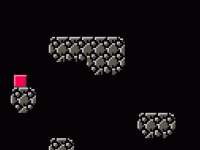
In an earlier post I looked at colliding with other objects in PICO-8 using a hitbox function. In this post I look at colliding with tiles that are draw to the map. The advantage of this system is…
Read More »First Steps in PICO-8: Parallax scrolling
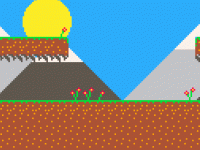
Scrolling backgrounds are fantastic for giving the illusion of movement and in the last post we looked at a simple scrolling background. In reality, you find that objects closer to you move more quickly than those that are…
Read More »First Steps in PICO-8: Scrolling backgrounds
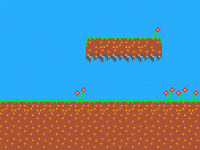
Having a scrolling background and a static player can be a very simple way of giving the illusion of movement. If you add into that parallax scrolling, you can add the idea of depth to your game. Luckily,…
Read More »First Steps in PICO-8: Hitting things

A game without any collisions would be a very boring game indeed, but programming the functionality required for collisions is something that leaves a lot of people baffled. This post take you through a very simple collision function…
Read More »First Steps in PICO-8: Moving a character on screen
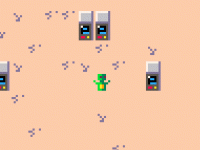
As soon as you have started PICO-8 you will want to get an object to move around the screen. In this post, I look at getting a character to move around the screen and get that character to…
Read More »Collisions between objects using line intersection
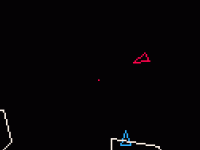
Collisions are always one of the more difficult aspects of computer game programming. One very useful method of determining whether one object has hit another is to check whether two lines cross each other. As an example, consider…
Read More »Friction and Inertia in Computer Games: Making things drift

One of the best ways to make a computer game feel ‘real’ is to add inertia to your characters. In order to do this you have to move away from directly positioning them and instead control their velocity…
Read More »First Steps in PICO-8: Set up a new PICO-8 project

PICO-8 enables you to become a computer games programmer without the distractions of a cumbersome IDE or a complex set of libraries and hardware compatibility issues. This series of posts will take you through various challenges that you…
Read More »Responding to Buttons using Bitwise Addition in PICO-8
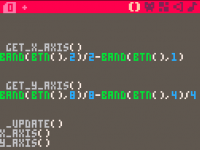
It is possible to respond to each button press in PICO-8 by using conditional statements like this: if btn(0) then vx=-1 end if btn(1) then vx=1 end if btn(2) then vy=-1 end if btn(3) then vy=1 end But…
Read More »